
A calculator that converts decimal numbers to common fractions.
Enter a decimal value in the box, e.g., 0.8333333333333334. Get a visual representation, the conversion result, and the steps to the solution.
Here is the step-by-step math to convert it:
How to Use the Calculator
Whether you are checking your math homework or studying for an upcoming test, this decimal to fraction calculator is designed to convert decimal value into fraction. Follow these quick steps to get step-by-step solutions for your math problems:
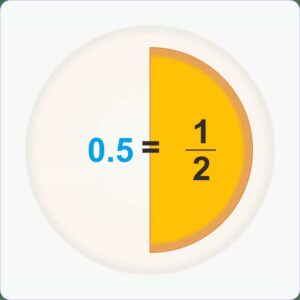
Decimal to Fraction
Decimals are fractions of tenths, hundredths, thousandths, and so on, written using a decimal point.
Example: The decimal form 0.5 = 510 simplified to 12.
The decimal number 0.5 is read as “zero point five” or “five tenths” and then becomes “One-Half” after the common fraction is simplified to a proper fraction.
Here’s how to convert a decimal fraction to a common fraction with a denominator of 10, 100, 1000, and so on, using the following rules.
• Fractions with 2 digits after the decimal point are converted to fractions with a denominator of 100.
• Fractions with 3 digits after the decimal point are converted to fractions with a denominator of 1,000, and so on.
• Then, simplify the fractions to their simplest form.
How this calculator works?
This Decimal-to-Fraction Calculator uses the Continued Fraction Algorithm. This method finds the closest fraction to a floating-point value, allowing it to handle both exact decimals (such as 0.75) and repeating decimals or approximations (such as 0.8333333333333334).
This algorithm uses a do-while loop that repeatedly separates the integer part and reverses the fractional remainder for the next iteration.
1 When you enter a decimal number, the system first reads the input and converts it to the standard floating-point format.
2 The calculator will use the continued fraction algorithm to find the closest rational approximation to a floating-point value. This algorithm uses a do-while loop that repeatedly separates the integer part and reverses the fractional remainder for the next iteration until it reaches exactly 0, or if it hits the precision safety limit (a tolerance difference of 1.0E-5 and a maximum denominator limit of 100,000).
3 The final result will be accompanied by a step-by-step algebraic explanation displayed to the user. The system divides the expansion logic into two different scenarios: Repeating Decimals (Approximation) and Finite Decimals (Precision).
4 In the final step, the calculator will display the numbers as a mixed fraction and a custom pie chart based on SVG elements, along with a step-by-step breakdown of the manual calculation.